

Latest Version
Thomas Zinnbauer
Media
Mac
Free
1296740756
Report a Problem
More About Ampado (lite)
The Ultimate Zero-Overhead Audio Review Tool for Mac
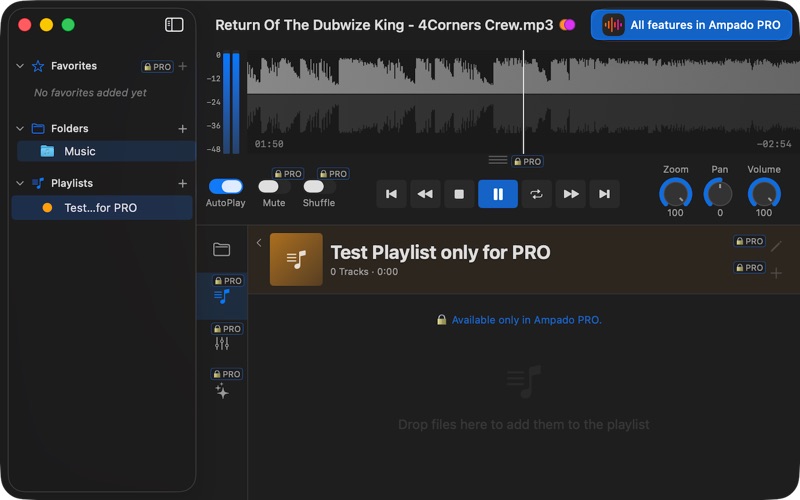
For audio professionals and music enthusiasts, the biggest hurdle in listening to local files is often the software itself. Heavy media libraries require tedious importing, tagging, and indexing before you can hear a single note. Ampado (lite) visual music player solves this friction entirely. Built natively for macOS, this lightweight utility allows you to open any local folder and instantly begin playback with a highly detailed, real-time visual waveform. Whether you are a DJ sorting through new promos, a producer reviewing mixdowns, or a music lover who prefers a streamlined workflow, it offers an instant, visual-first way to interact with your sound files.
Streamlined Features of the Ampado (lite) Visual Music Player
Unlike traditional media players that treat audio as static files, this application visualizes your sound. Here is what makes the Ampado (lite) visual music player stand out for macOS users:
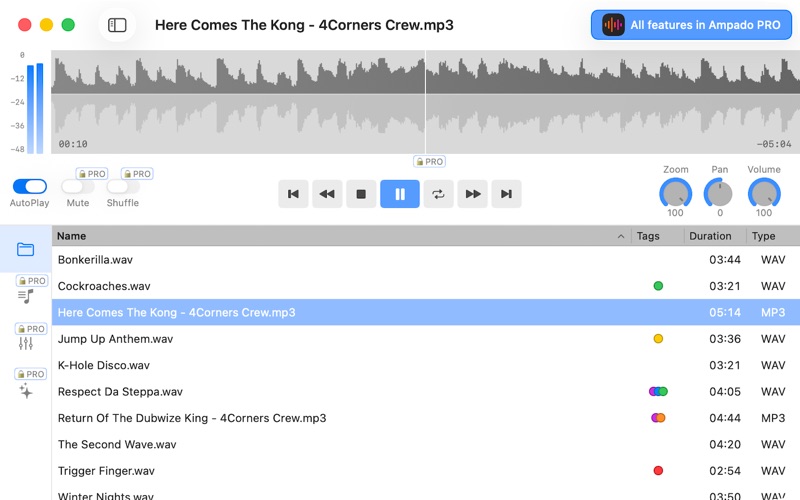
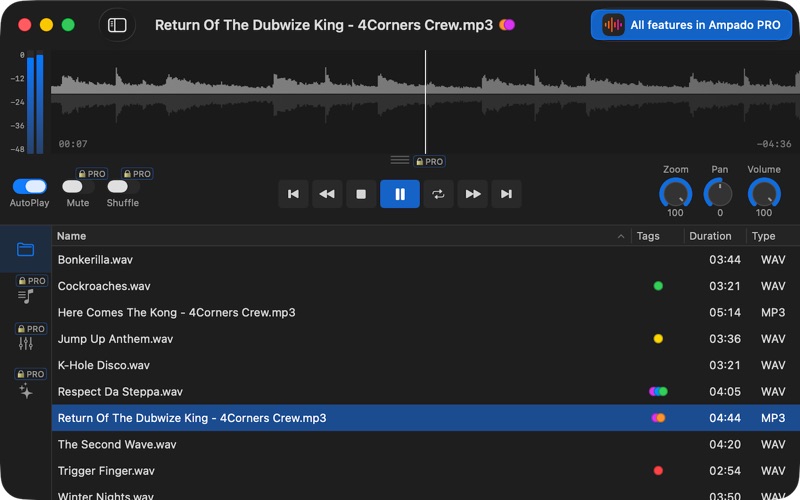
- Real-Time Waveform Navigation: See your audio as it plays. You can easily scrub, zoom, and navigate through complex tracks using precise visual cues and intuitive keyboard shortcuts.
- Zero-Library Overhead: There are no databases to manage or signups required. Simply point the app to a folder on your Mac and start listening immediately.
- Broad Format Support: The player effortlessly handles a wide range of audio formats including MP3, WAV, FLAC, AIFF, AIF, AAC, M4A, M4R, AC3, OGG, Opus, MP4, and CAF.
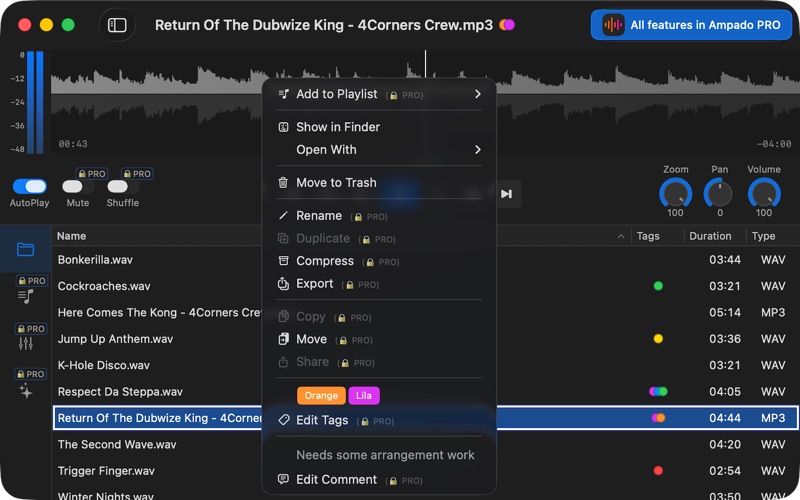
- Clean Metadata Display: A flexible list view shows customizable columns, file tags, and high-quality cover art at a glance.
Who Is This Lightweight Audio Player For?
If you find yourself constantly opening Finder to preview audio files, this app is designed for you. DJs can quickly audit new tracks without cluttering their performance software. Music producers can quickly scan through exported stems or reference tracks. Because it operates directly on your local folder structure, it keeps your system fast and clutter-free. For those who eventually need advanced tools like equalizers, custom themes, markers, and playlists, there is an optional path to upgrade to the Pro version via a one-time purchase.
An Elegant, Visual Approach to Mac Audio
By removing the traditional database layer, Thomas Zinnbauer has created a fast, stable, and highly responsive audio tool. It respects your time, your system resources, and your workflow. To experience this streamlined utility firsthand, head over to the official Mac App Store to explore the Ampado (lite) visual music player today.
Rate the App
User Reviews
Other Apps in This Category


Popular Apps










Editor's Choice